A character reference in a cafe scene
Midjourney · Edit model
These tool workflows are drafts based on official documentation. We have not yet generated and reviewed a result for each recipe. They are not verified tutorials or a promise of matching results.
Official sources checked: · Hands-on reproduction: pending
Before you start
Requires a Midjourney account and subscription. Check GPU time and image visibility settings; do not assume uploaded-image creations are private.
Free for commercial use · Credit Swim In AIPacks require a free Swimmer account.
The workflow
- Choose one actor and download a front-view image. Single images need no Swimmer account; a starter pack needs a free account. Keep the supplied credit information.
- Use V8.1 or V8.2 with the Edit model. Open the image menu in the Imagine bar, upload the reference and place it in Attach to prompt. Do not use the V7-only Omni Reference instructions for this workflow.
- Paste the scene prompt below and submit after checking your settings. Keep a single reference for this first attempt, then inspect the generated options.
- Compare the result with the reference: face, hair, clothing and hands. Save the original output only when it fits your scene, and add the required Swim In AI credit. A prompt cannot guarantee identity consistency.
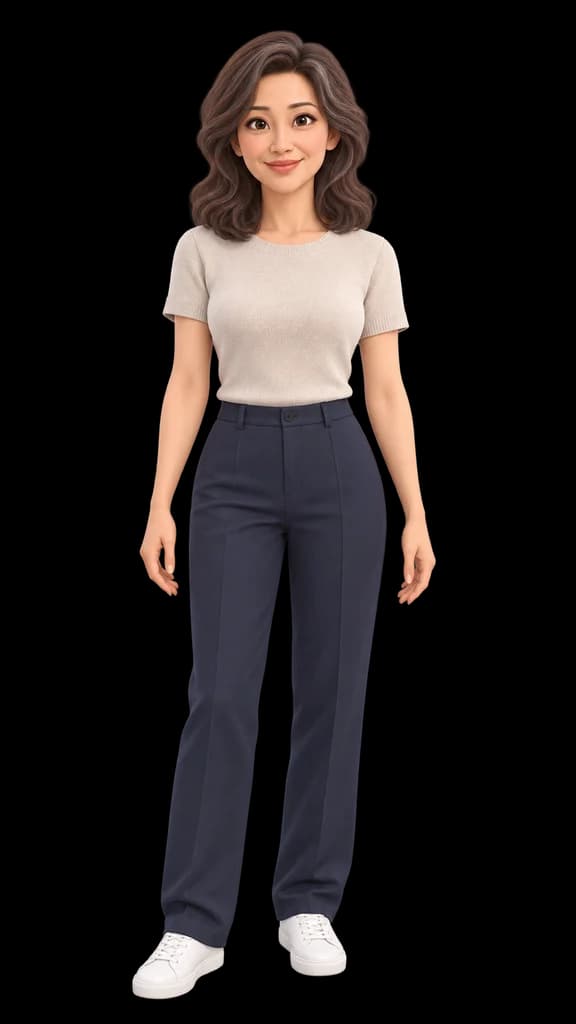
Use the uploaded animated actor as the character reference. Place the same character beside a window in a quiet cafe, holding a plain cup. Preserve the face, hairstyle, clothing and animated style. Soft daylight, medium shot, uncluttered background.
Check the result
Use an Edit model reference for the character, not just a Style Reference. The latter carries visual style rather than the same character.
No verified output for this draft yet. We will add one only after a recorded hands-on run.
Opens another site. Its account, usage limits and charges are separate from Swimmer.